- CARBON computer movement and part lock-on
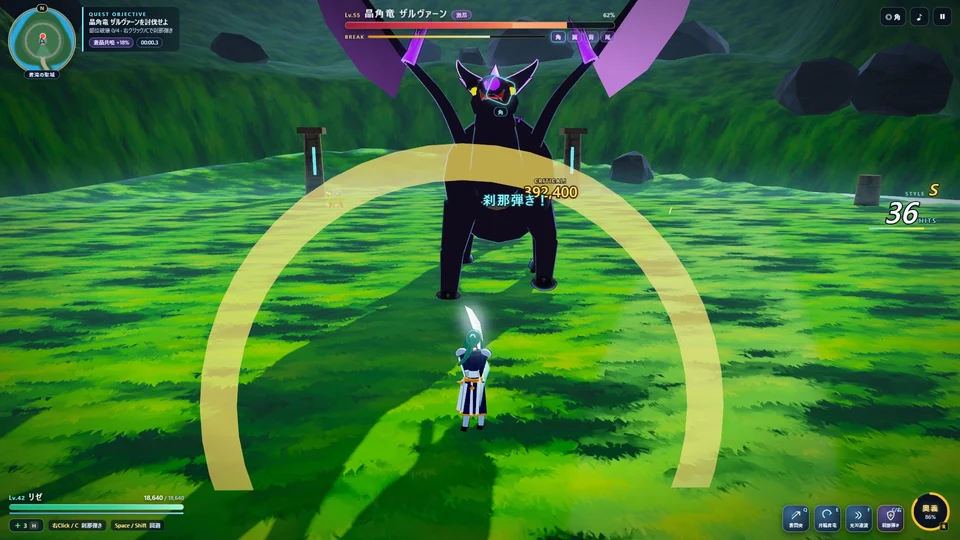
- Move and sprint with WASD or the arrow keys. Drag with the middle mouse button, or hold Alt and drag with the left mouse button, to rotate the camera. Press Tab or click the part indicators to cycle lock-on across horns, wings, back and tail.
- CARBON computer combat and flash parry
- Left-click or press J for five-hit slashes. Right-click or press C or L for flash parry (hold to guard), and press Space, Shift or K to dodge. Use Q, E and F for skills, R at 100% for your ultimate, and H or 1 for a potion.
- CARBON phone controls
- Landscape orientation is recommended. Drag on the left to move and on the right to aim the camera. Fight with the slash, dodge, parry, Q, E, F and ultimate buttons at the bottom right, and heal with the potion icon at the bottom left.
- Pause, quality and sound
- Press Esc, P or the top-right II button to pause, and M or ♪ to toggle sound. Choose low, medium or high quality on the title and pause screens.